

- Home
- Cat6 vs Cat6a
Cat6 vs Cat6a: which cable do you need?
Cat6 is fine for most homes and short runs. Cat6a is the safer choice for offices, schools and ceiling access points. Here is the difference, from the manufacturers’ datasheets and our own jobs.
The short answer
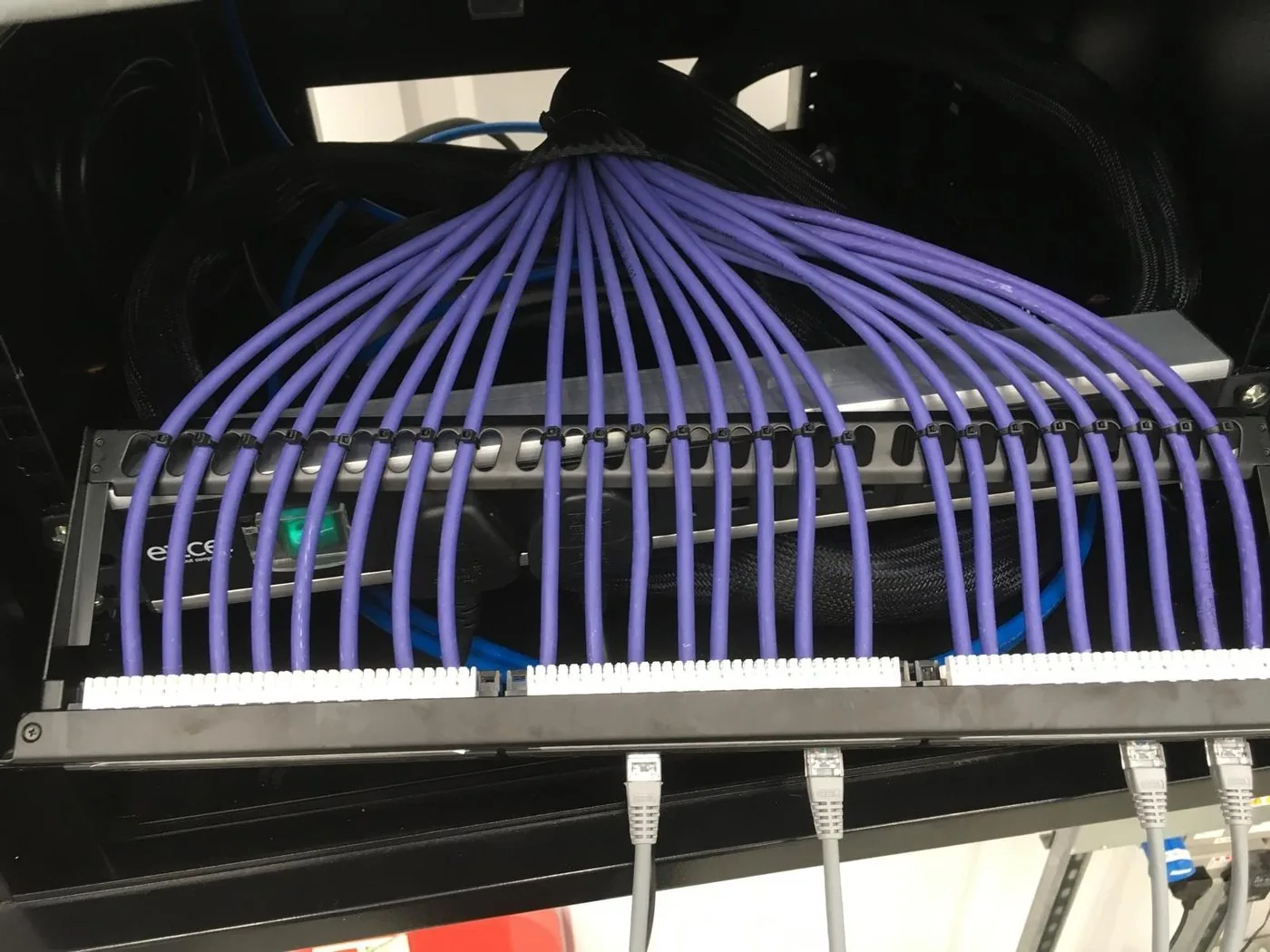
Cat6 carries 1 Gb/s over the full 100 metres. For a home, a short run or a device that only has a 1 Gb port, it is enough. Cat6a carries 10 Gb/s over the full 100 metres; Cat6 only manages that on shorter runs, typically quoted as up to 55 metres. If the cable feeds a ceiling access point in an office or school, or you want the cabling to outlast the next two rounds of network kit, choose Cat6a.
Cat6 vs Cat6a side by side
| Cat6 | Cat6a | |
|---|---|---|
| Bandwidth (as specified) | 250 MHz | 500 MHz |
| 1 Gb/s (1000BASE-T) reach | 100 m | 100 m (it also carries 10 Gb/s that far) |
| 10 Gb/s (10GBASE-T) reach | Limited: typically quoted up to 55 m | 100 m |
| Outside diameter (Excel U/UTP, 23 AWG) | About 6.2 mm | About 7 mm |
| Weight (Excel U/UTP) | Not stated on the datasheet | 48 g per metre |
| Minimum bend radius while pulling | 8 x diameter (about 50 mm) | 8 x diameter (about 56 mm) |
| Minimum bend radius once installed | 4 x diameter (about 25 mm) | 4 x diameter (about 28 mm) |
| Space taken in containment | Baseline | About 27% more per cable |
| Construction (Excel datasheets) | U/UTP (unscreened) | U/UTP, or screened such as U/FTP (foil round each pair, about 6.7 mm) |
Bandwidth and reach from manufacturer ICC’s comparison table. Diameter, weight and bend radius from Excel Networking datasheets for solid 23 AWG LSOH cable. Bend radii in millimetres and the containment figure are our own sums from those diameters.
Why it matters now: faster access points need more from the cable
For years a 1 Gb port on every device was normal, and Cat6 handled it easily. Access points have moved on:
- Wi-Fi 6 (802.11ax): the Cisco Meraki MR44 has a 2.5 Gb/s Ethernet port and draws up to 30 W on 802.3at (PoE+). On older 802.3af power it drops into a low-power mode, with a 1 Gb/s uplink and fewer radio streams.
- Wi-Fi 7: Cisco’s CW9176I has a 10 Gb/s port and needs 802.3bt power for full operation. On 802.3at it runs its port at 2.5 Gb/s and cuts back its 2.4 GHz radio.
The standards behind this: IEEE 802.3an (approved 2006) defined 10 Gb/s over twisted pair; IEEE 802.3bz (2016) added 2.5 and 5 Gb/s; and IEEE 802.3bt (2018) delivers power over all four pairs, up to 90 W from the switch and 71.3 W at the device. A cable put in today is likely to meet these speeds and power levels during its life. Cat6a carries 10 Gb/s over the full distance, so the cable is not what holds you back.
When Cat6 is enough
- Homes: wired access points, TVs, consoles and a home office, where runs are short and the router has 1 Gb ports. Our guide to fixing poor Wi-Fi shows a typical wired access point set-up on Cat6.
- Single devices with 1 Gb ports: on access control jobs we run one Cat6 network cable from each door controller to the nearest network point.
- Short runs to 1 Gb kit in small offices, shops and plant rooms, where there is no plan for multi-gigabit access points.
When Cat6a is worth it
- Offices and schools with ceiling access points, which are now often multi-gigabit and PoE+ or higher.
- Long runs back to a comms room, where Cat6 cannot carry 10 Gb/s.
- Buildings you are fitting out once, where lifting ceilings again in a few years would cost more than the bigger cable now.
- Extensions to an existing Cat6a system: keep the outlets, panels and patch leads to the same category.
The trade-off is size. On the Excel diameters above, each Cat6a cable takes about 27% more room, so check trunking, tray and basket capacity at survey. See cable containment.
Shielded Cat6a needs earthing and the right connectors
Unscreened U/UTP Cat6a suits most buildings. Screened cable, such as U/FTP with foil round each pair, helps where there is heavy electrical noise. But a screen only works as a system:
- the connectors, patch panels and patch leads must be screened too, with the cable screen connected to the connector screen;
- the screen must be continuous from end to end (EN 50174-2), and cabinets bonded to a telecoms bonding network (EN 50310);
- the screen must never be used as the protective earth, and where the equipment at each end sits at a different earth potential, current can flow on the screen.
Because we are electricians as well as data cablers, the earthing and the cabling are done by the same team.
Fire performance: Euroclass ratings
The Office for Product Safety and Standards is the UK regulator for construction products, under the Construction Products Regulations 2013. Cables are classed for reaction to fire from Aca (best) to Fca, with extra ratings for smoke (s), flaming droplets (d) and acidity (a).
BS 6701 covers telecoms cabling. Its 2017 amendment added sections on the fire performance of telecoms cables, because BS 7671, the Wiring Regulations, points to BS 6701 for choosing them. The minimum it sets is Cca, s1b, d2, a2. Excel, for example, prints the class and the Declaration of Performance number on the sheath.
Check before you buy. The Excel Cat6 and Cat6a datasheets in our table are for their Dca versions, a lower class than Cca. The same Cat6a cable is also sold rated B2ca, s1a, d0, a1.
Testing and certification
A cable can have the right colours on the right pins and still fail on crosstalk or signal loss. So every new link we install is certification tested against the standard for its category, Cat6 or Cat6a, and you get the results at handover. Testing is part of our cabling quotes, not an extra. See data cabling and testing.
Real jobs: what we install
A school, 2026. We installed 29 Cisco Meraki MR44 access points, 2 Meraki MR76 access points (IP67-rated) and 9 Meraki switches in the existing data cabinet. The school already had Cat6a structured cabling, so we patched every access point from the existing patch panels with Cat6a leads to match. The MR44 has a 2.5 Gb/s port, and the cabling is ready for it.
Across our job records. Of 6,105 job records in our job system from June 2024 to October 2026, 17 name a cable category:
| Cable named | Jobs | Examples |
|---|---|---|
| Cat6 (alone, or offered as Cat5e/Cat6) | 13 | Warden call cabling at five sheltered housing schemes for United Infrastructure; one Cat6 per door controller on access control, including James Hambro & Partners; LSOH Cat6 structured cabling on a fibre backbone across two buildings; camera and access point cabling in a healthcare building |
| Cat6a | 1 | The school above |
| Cat5 or Cat5e only | 3 | Including a network cable to an EV charger in Letchworth |
So where a job names a category, it is usually Cat6, and Cat6a goes in where the building and the kit call for it. These figures come from job descriptions; many cabling jobs do not name a category at all.
More of our network work: a hotel estate’s network in Warwickshire, with new data points, a comms cabinet and radio links between buildings, and data cabling in Stevenage. For the access point side, see business Wi-Fi.
How SEGplc can help
We survey the building, check the containment and the earthing, recommend Cat6 or Cat6a for each run, install and test it, and fit the access points, switches and cameras on the end.
Cat6 vs Cat6a: questions we are asked
Is Cat6a better than Cat6?
It does more. Cat6a is specified to 500 MHz against 250 MHz for Cat6, and carries 10 Gb/s over the full 100 metres. Cat6 carries 1 Gb/s over 100 metres, which is all most homes need. Cat6a is thicker, so it takes more room in trunking and tray.
Can Cat6 do 10 Gb/s?
Yes, but only on shorter runs. Manufacturer guidance quotes up to 55 metres, and as little as 37 metres in some conditions. The same guidance says Cat6 is not recommended for new installations meant to carry 10 Gb/s.
Do I need Cat6a for Wi-Fi 6 or Wi-Fi 7 access points?
For new cabling in an office or school, we would use it. The Cisco Meraki MR44, a Wi-Fi 6 access point, has a 2.5 Gb/s port. Cisco’s Wi-Fi 7 CW9176I has a 10 Gb/s port and needs 802.3bt power for full operation. Cat6a carries 10 Gb/s over the full 100 metres.
Can I mix Cat6 and Cat6a?
You can, but a link only performs to the category of its lowest-rated part. That is why, on the school job below, we patched the access points with Cat6a leads to match the Cat6a cabling already in place.
Is shielded Cat6a better?
Only where there is electrical noise to keep out, and only if the whole system is screened and properly bonded to earth. Without that, unscreened (U/UTP) Cat6a is simpler to install and suits most offices and schools.
What fire rating should data cable have?
BS 6701 sets a minimum of Euroclass Cca, s1b, d2, a2 for installation cables subject to the Construction Products Regulation. Makers such as Excel print the class on the cable sheath. Check it: some cable on sale is Dca, which is a lower class.
Sources
- ICC, Can ICC Cat6 solutions support 10GBase-T? (bandwidth and reach table)
- Excel Networking, Cat6 U/UTP Dca LSOH cable datasheet (100-071)
- Excel Networking, Solid Cat6 cable U/UTP LSOH Dca, 500 m reel
- Excel Networking, Solid Cat6A cable U/UTP 23 AWG LSOH Dca datasheet (100-219)
- Excel Networking, Solid Cat6A cable U/FTP LSOH Dca datasheet (100-191)
- Excel Networking, Solid Cat6A cable U/UTP 23 AWG LSOH B2ca
- Excel Networking, Understanding CPR
- Cisco Meraki, MR44 datasheet
- Cisco Meraki, MR76 installation guide
- Cisco Meraki, CW9176I / CW9176D1 datasheet
- IEEE 802.3, IEEE P802.3an (10GBASE-T) Task Force
- IEEE 802.3, Approval of IEEE Std 802.3bz 2.5GBASE-T and 5GBASE-T
- IEEE Standards Association, IEEE 802.3bt-2018: Power over Ethernet over 4 pairs
- Ethernet Alliance (UNH-IOL), Ethernet Alliance welcomes next generation PoE
- Aginode, Earthing guide for screened cabling
- GOV.UK (OPSS), National regulation: construction products
- legislation.gov.uk, Commission Decision 2006/751/EC: reaction to fire classes for electric cables
- BSI Knowledge, BS 6701:2016+A1:2017
Written by SEGplc, NICEIC Approved Contractor, SEG House, Chiswell Green, St Albans. Specifications from the manufacturer datasheets and standards pages listed below. Job figures from our job system, June 2024 to October 2026. Last updated 27 October 2026.
Need it done by a date?
Tell us the deadline. We’ll tell you honestly whether we can hit it — and we usually can.