

- Home
- CCTV not working
CCTV not working?
Cameras offline, not recording, no picture or not on your phone. The checks to do first, and when to call us.
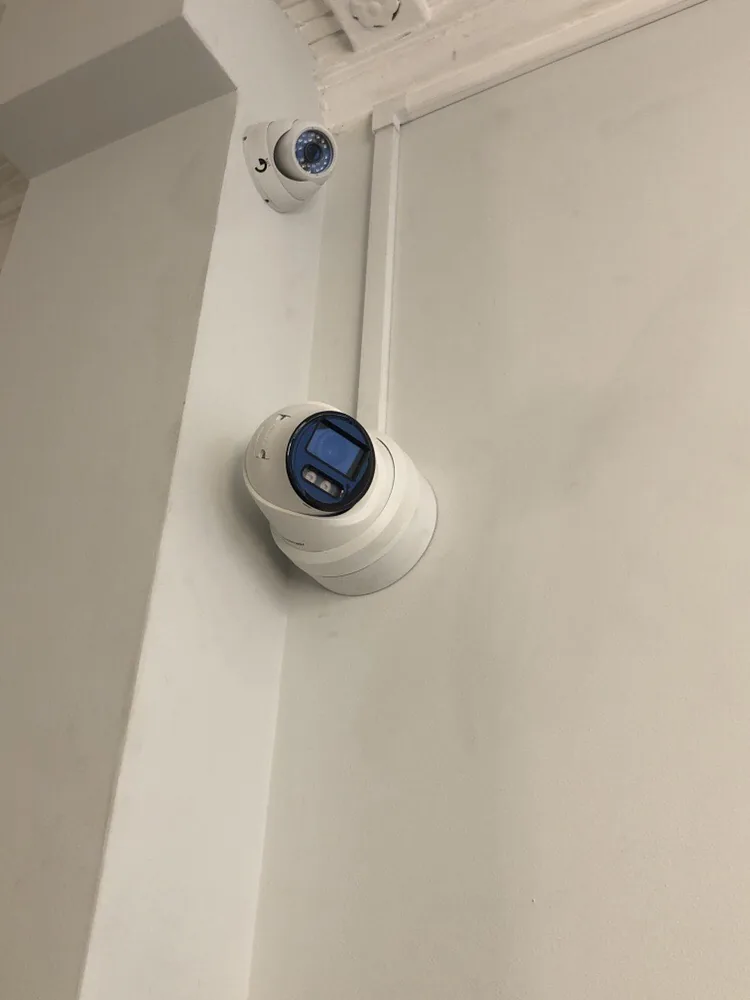
Most CCTV faults come down to four things: power, the network, the recorder’s hard drive, or the app. Work through the symptom that matches yours. If it’s still down, we work on most makes, including UniFi Protect, and we can tell you honestly whether it’s worth repairing.
All the cameras are offline (often after a power cut)
- Is the recorder on? Check its lights and that the screen or app can see it. If a power cut tripped something, check the fuse board: the circuit feeding the recorder and network kit may be off. See RCD keeps tripping.
- Is the PoE switch on? Most modern cameras are powered down their network cable from a PoE switch or the recorder itself. If that switch has lost power, every camera goes at once. We’ve been called out to a site where the only fault was the switch’s power supply had been unplugged in the office.
- Restart in order: router, then switch, then recorder. Give each a minute.
- Still down? A surge can kill a PoE port, a power supply or a camera. That needs testing on site.
Live view works but it isn’t recording
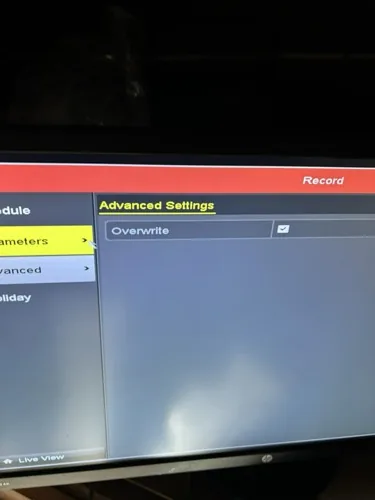
- The hard drive is full and overwrite is off. The commonest one. The recorder fills up, stops recording, and often starts beeping. Turning on overwrite lets it record over the oldest footage. Check how many days you keep first: for most homes and businesses, 30 days or less is plenty.
- The hard drive has failed. The recorder shows a disk error or “no HDD”. Drives in recorders run all day, every day, and wear out. A surveillance-rated drive is the fix.
- The schedule or motion settings changed, often after a firmware update or a reset.
- The time and date are wrong, so footage is there but not where you look for it.
It works at home but not on my phone
- Changed your router or broadband? The recorder may have a new address, or lost its connection to the maker’s cloud service, so the app can’t find it. This often happens after a broadband switchover.
- Works on Wi-Fi but not on mobile data: remote access isn’t set up properly. We set it up through the maker’s secure app or cloud service rather than opening ports on your router.
- App updated or password changed: log out and back in, and check the recorder’s account details.
“No signal” on the TV or monitor
Check the screen is on the right input (HDMI 1, HDMI 2), the cable is in at both ends, and the recorder is powered. Older analogue systems also show “no signal” or “video loss” for one camera when its cable or power supply has failed, often where water has got into an outside joint.
UniFi Protect cameras keep going offline
- Not enough PoE power: check the switch’s total power budget, especially with AI cameras and floodlight models.
- Long or poor cable runs: Ethernet runs over 100 metres, cheap copper-clad cable or a bad termination cause drop-outs that come and go.
- The console is overloaded or full: check the storage and the number of cameras on your Cloud Key, Dream Machine or NVR.
- Firmware: update the console and cameras together, then re-adopt any camera that won’t reconnect.
See UniFi Protect and AI CCTV.
Real call-outs
Recorder beeping and not recording, Colney Heath, May 2026
A homeowner’s recorder was beeping and had stopped recording. Charlie went that evening and found the hard drive was full. With the owner’s agreement he cleared the drive, turned on overwrite so it can’t fill up again, and checked it was recording before he left.
Cameras and intercom offline at a business, June 2025
Cameras and the door intercom had dropped off. Nothing was broken: the power supply for the network switch had been unplugged in the office. Plugged back in, everything came back online.
A camera moved the next morning, October 2024
An apartment block needed a camera repositioned urgently; we offered to attend the next morning.
If your system is old, it may be worth replacing rather than repairing: see which CCTV system and on-premise vs cloud CCTV.
Questions we’re asked
Why has my CCTV stopped working after a power cut?
Usually the recorder, the PoE switch or the router hasn't come back on, or the power cut tripped the circuit they're on. Check the fuse board, then restart the router, switch and recorder in that order. If a surge damaged a port or power supply, it needs testing.
Why is my CCTV not recording when live view works?
Most often the hard drive is full and overwrite is turned off, or the drive has failed. Check the storage screen on the recorder. Turning on overwrite or fitting a new surveillance drive normally fixes it.
Why does my CCTV not work after changing my router?
The recorder may have a new network address or lost its link to the maker's cloud service, so the app can't find it. It needs reconnecting to the new router and the remote access setting up again.
Why can't I see my cameras on mobile data?
Remote access isn't set up properly. It works on your home Wi-Fi because you're on the same network. We set it up through the maker's secure app or cloud service instead of opening ports on your router.
Can you fix a CCTV system someone else installed?
Yes. We work on most makes, including UniFi Protect and Verkada. If it isn't worth repairing, we'll say so and quote for a replacement.
How quickly can you come out?
Phones are answered 7am to 10pm, seven days a week. Tell us what's down and send a photo of the recorder screen.
Written by SEGplc. Last updated 22 October 2026.
Need it done by a date?
Tell us the deadline. We’ll tell you honestly whether we can hit it — and we usually can.